DeviceDesk MDM · Android
Android fleets,
held steady
Purpose-built for devices that live in trucks, depots and kiosks: enrol with a QR, lock to your app, push updates silently, and know where every device is, without registering with Google or paying per-seat EMM prices.
Enrolment
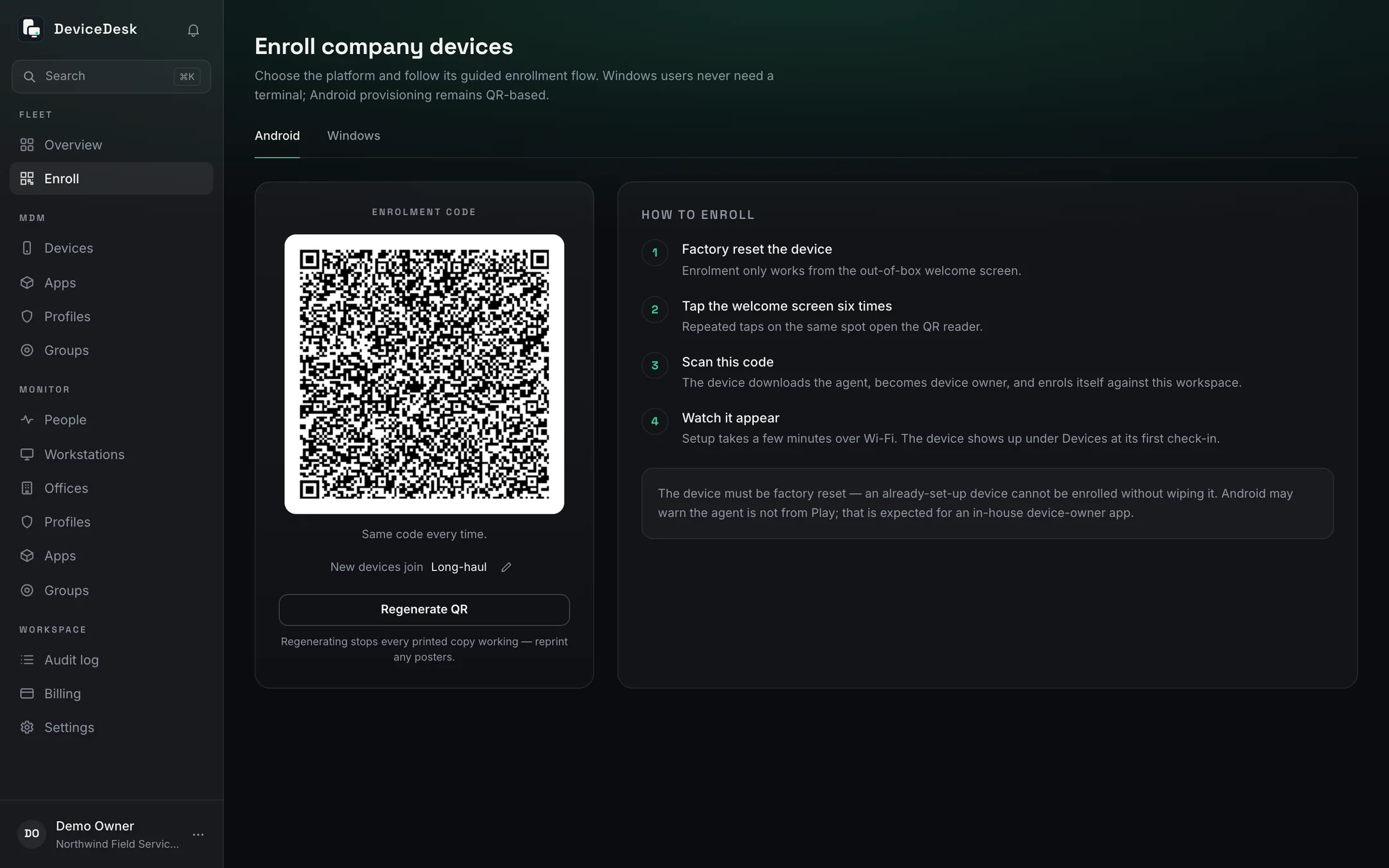
A QR code, not a project
Provisioning uses Android's own setup-wizard flow. The code never expires: print it once and put it on the depot wall. A device that falls out of management re-enrols the same way. Scan, done.
- Zero-touch from factory reset to managed in minutes
- The enrolment QR never expires; rotate it in one click if it leaks
- Wi-Fi for provisioning is carried in the code itself
- New devices land in the group you choose, with its profile already applied
Profiles
Kiosk when you need it, open when you don't
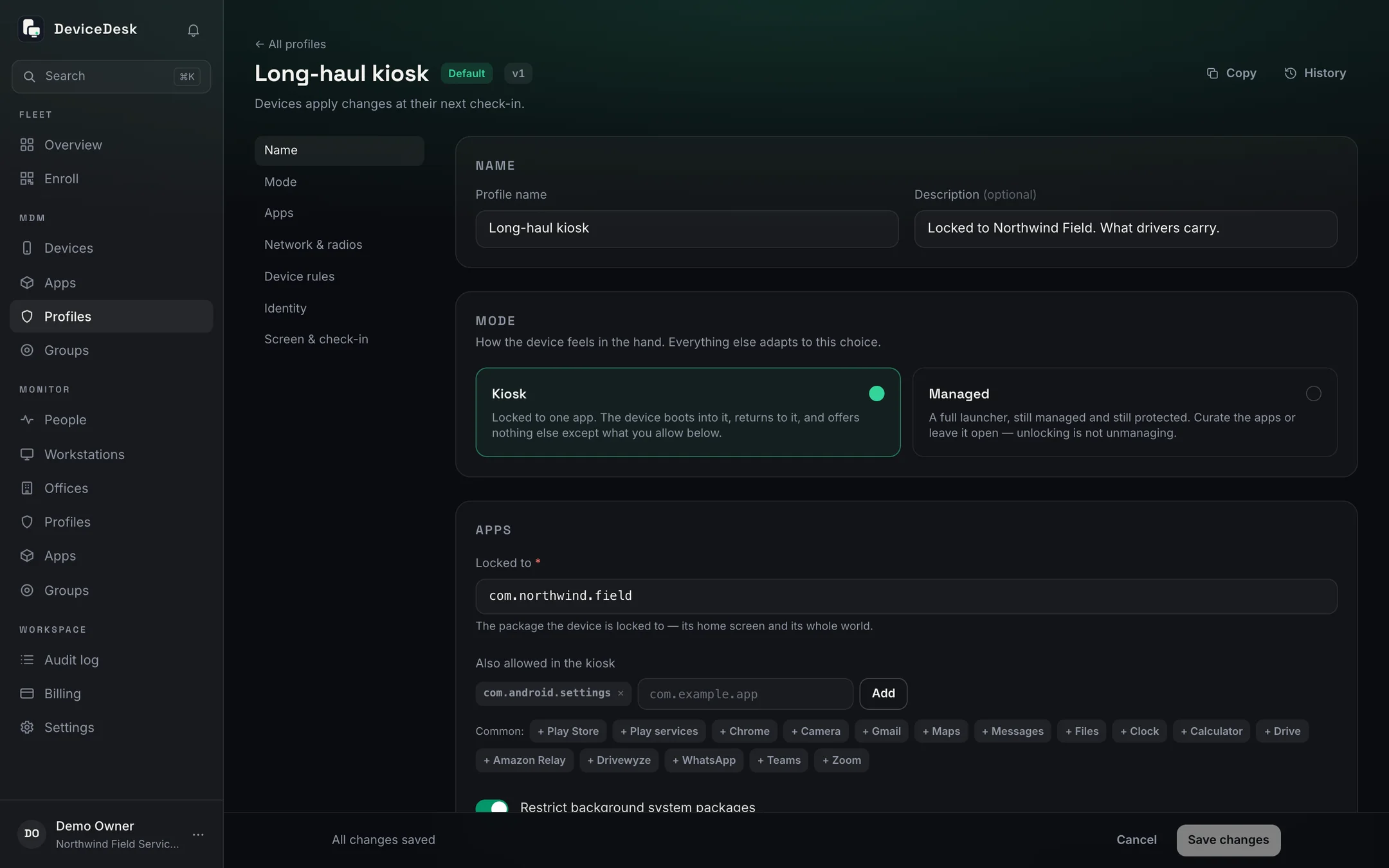
A profile decides how a device feels in the hand: locked to one app, curated to an approved list with the real launcher, or fully open. Groups get profiles; single devices get a maintenance unlock that can't be forgotten about.
- Single-app kiosk with a clock-and-grid home screen drivers actually like
- Approved-apps-only mode that reaches preloaded bloatware too
- Per-device unlock for maintenance, one tap back to the group policy
- Templates and a Pilot profile to start from; history you can restore
- Factory reset and safe boot blocked under every profile, always
App distribution
Your APKs, shipped silently
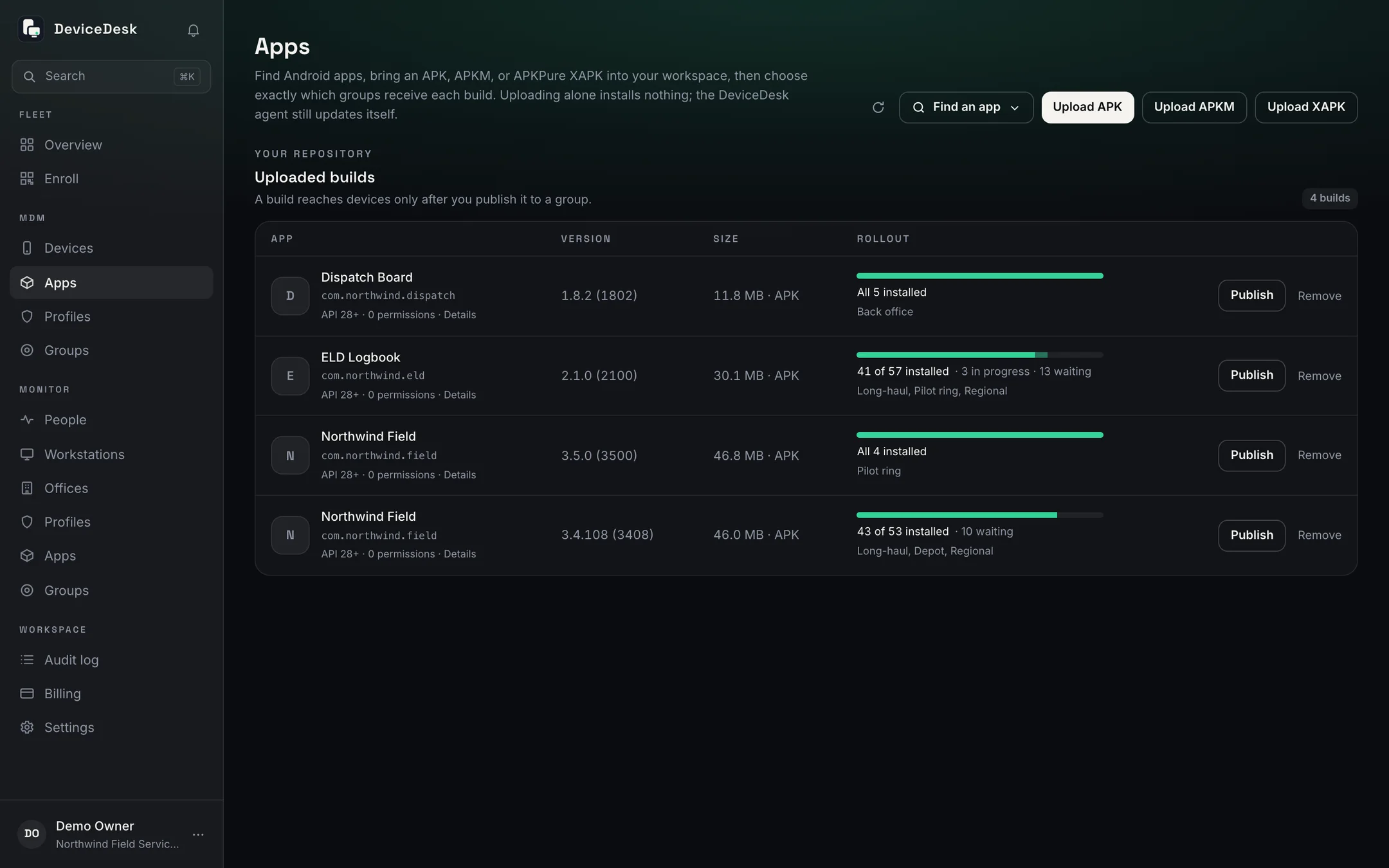
Host builds in DeviceDesk and they install without anyone tapping anything. Version numbers are read from the APK itself, so a typo can't strand your fleet on last month's build. Pilot on a ring, publish to everyone.
- Silent install and update via device-owner rights
- Rollout rings: prove a build on five devices before two hundred
- The agent updates itself the same way
- Checksum-verified downloads; a corrupted file never reaches a device
Control & telemetry
Know the truth about every device
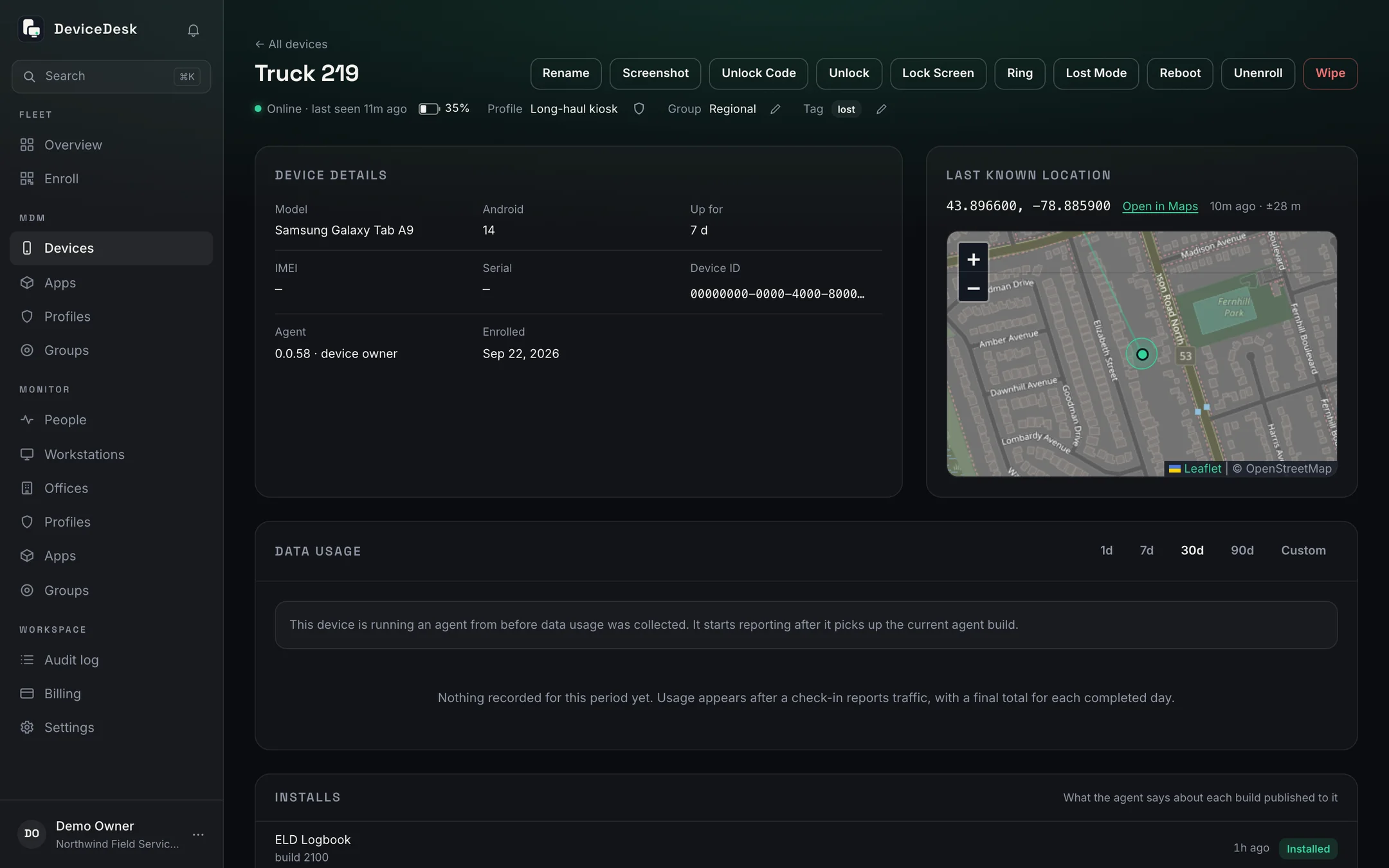
Location with its accuracy drawn honestly, battery, uptime, installed apps, and the agent's own health: whether exact alarms are permitted, whether battery optimisation is interfering. A throttled device and a dead one are different problems.
- Remote lock, unlock, reboot and wipe, cancellable until delivered
- Live location with an accuracy radius, not a false-precision pin
- SIM, carrier and mobile data by day; a SIM swap raises an alert
- Every profile setting read back from the device: verified, failed or unverified
- Agent health warnings turn 'offline' into something you can act on
Lost & found
Lost is a mode, not a write-off
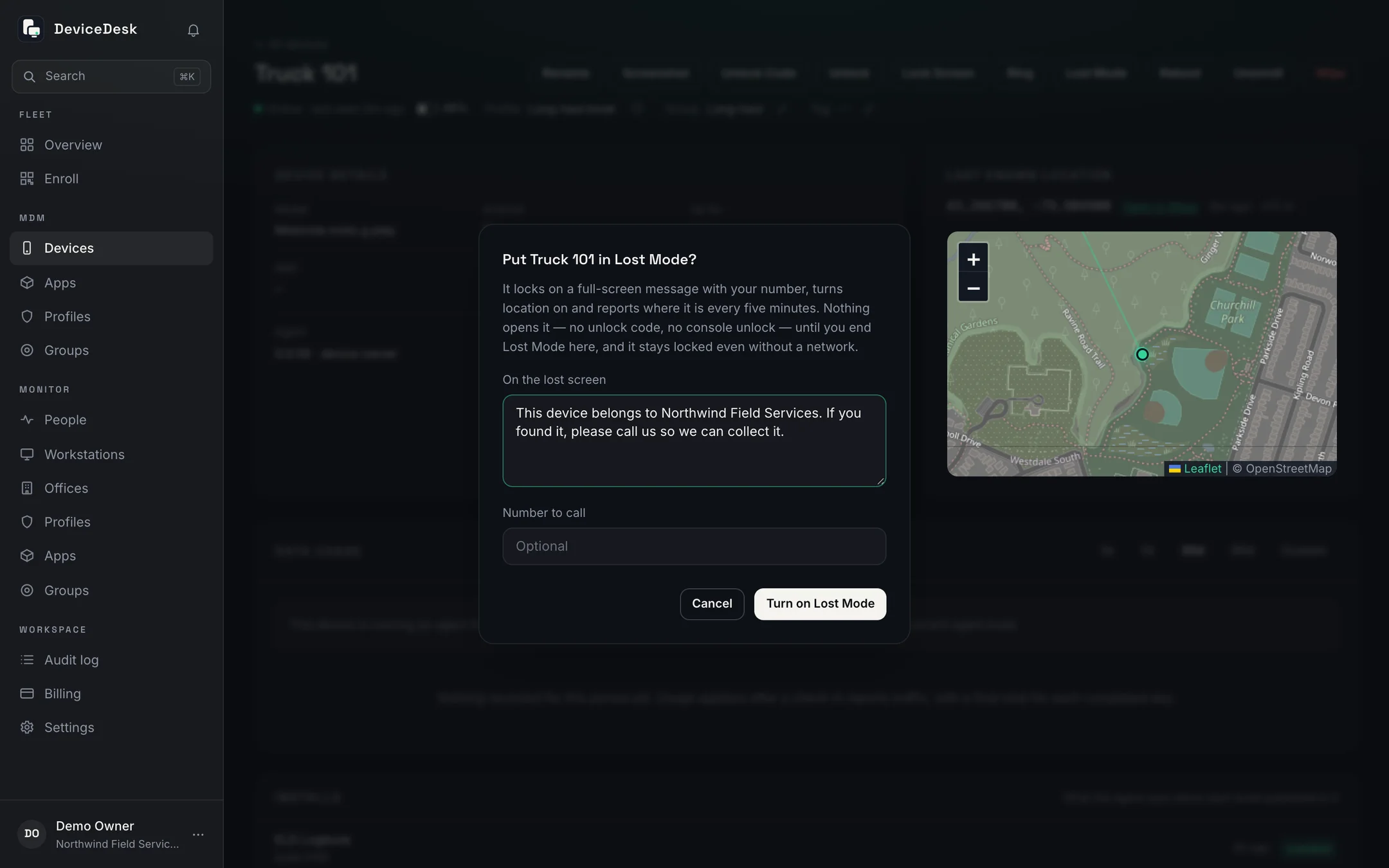
Ring a device that's slipped down the back of a seat, or lock one left in a cab. If it's really gone, Lost Mode pins your message and a number to call to its screen until you end it, and ending it puts back exactly what the profile says.
- Ring at full volume over the lock screen for two minutes
- Lock Screen now; the console says whether a PIN guards it
- A lost device reports where it is every five minutes
- No unlock code opens it; only the console ends Lost Mode
- A screenshot of the device's screen, asked for from the console
On the device
A menu the driver can use, and nothing they can misuse
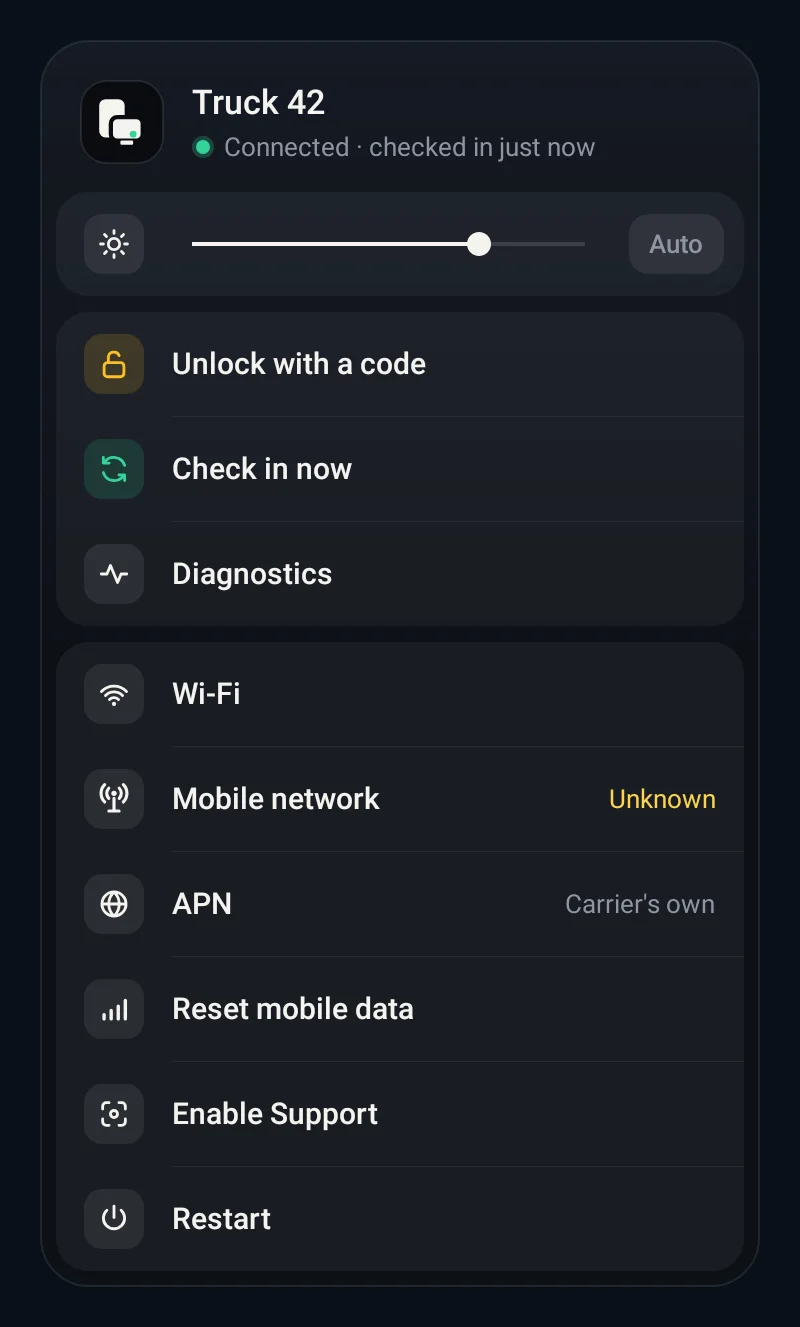
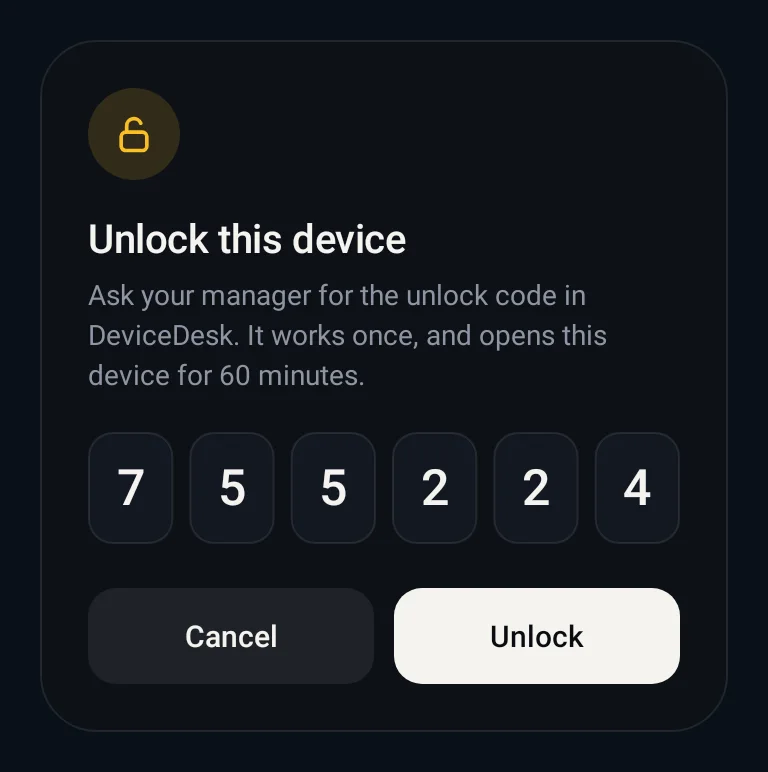
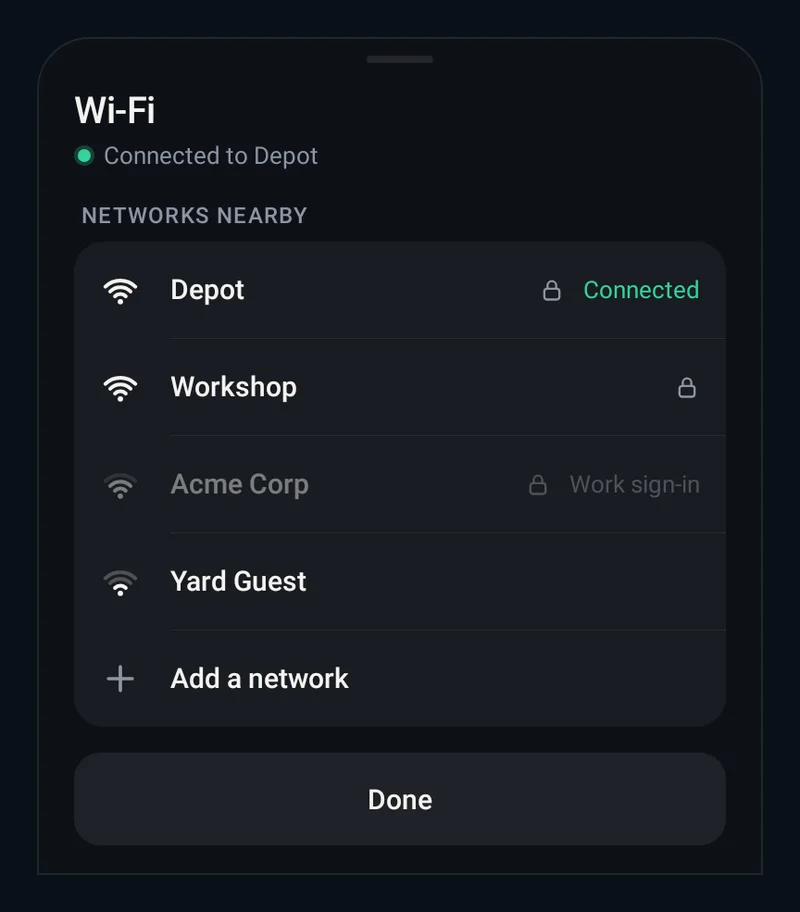
The agent's own menu covers the day-to-day without handing over Settings: brightness, Wi-Fi, a check-in on demand, diagnostics, a mobile-data reset, and an unlock that only works with a code from the console.
- Join a Wi-Fi network from the device, kept apart from the profile's
- Diagnostics and a check-in on demand when a depot is on the phone
- Unlock with a one-time code that opens the device for 60 minutes
- Enable Support turns on the screenshot service, so nobody has to tap next time
Enrol your first device tonight
Seven days free on the full platform, then one device free forever. Factory reset a spare device, scan the QR, and watch it appear in your console. The whole loop takes less than ten minutes.